Complete Guide: Understand Shein’s Free Trial Program
Anúncios
How to apply in Shein’s Free Trial Center
From opening the section to posting or editing your review — a practical walkthrough based on Shein’s public Help Center.
Independent informational guide — Compiled from publicly available content in SHEIN’s Free Trial Help Center. This site is not affiliated with, partnered with, or an official representative of the brand. Participation follows program criteria and no application is guaranteed. Always check the official rules before applying.
The Free Trial area can look simple at first. First-time users still often ask where to click, how many requests they can send, and how to tell if they were selected.
The sequence below covers the full path: find the correct section, submit applications, track status, write the report, check points, and fix a rejected review if needed. Selection depends on each campaign and is never automatic.
Find the Free Trial section
Sign in. In the app, open your profile and look for Other Services or More Services, then tap Free Trial Center. On the website, the same area may appear among account or community tools.
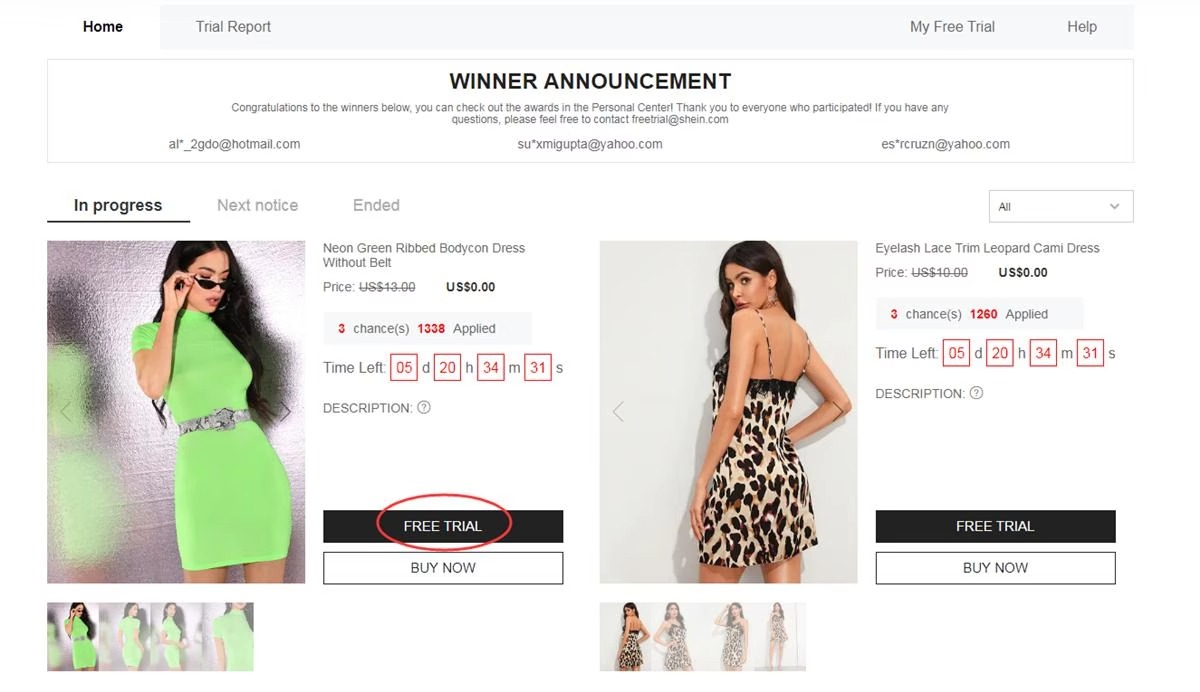
Inside, you will see items accepting applications during that period. The mix can change often — new products may appear while others disappear.
Choose products and submit applications
Program guidelines usually allow up to 3 applications per week. Unused attempts typically do not roll over to the next week.
- Open the Free Trial option for the item
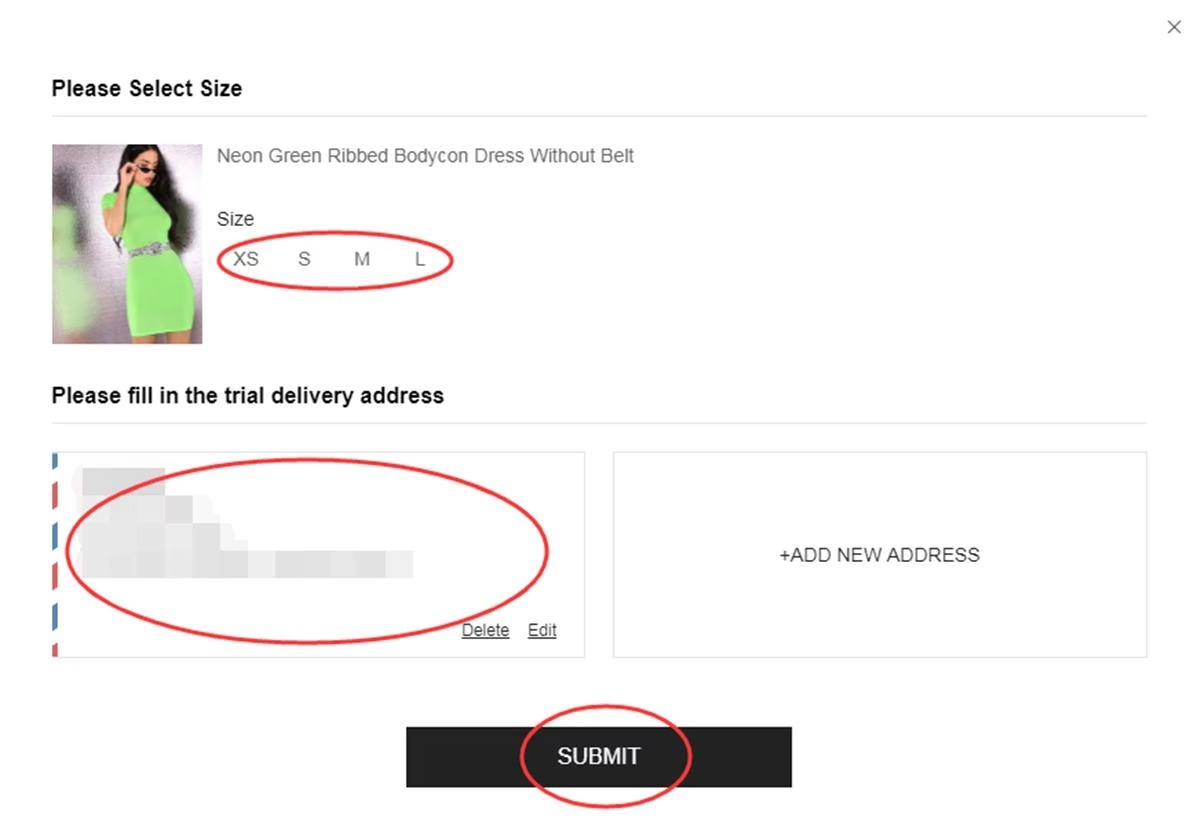
- Select the correct size when the listing has variations
- Use an address in the same country as the SHEIN store you are browsing
- Review the details and tap Submit
Before you finish: a country or address that does not match the store region can make the request invalid.
Check your application status
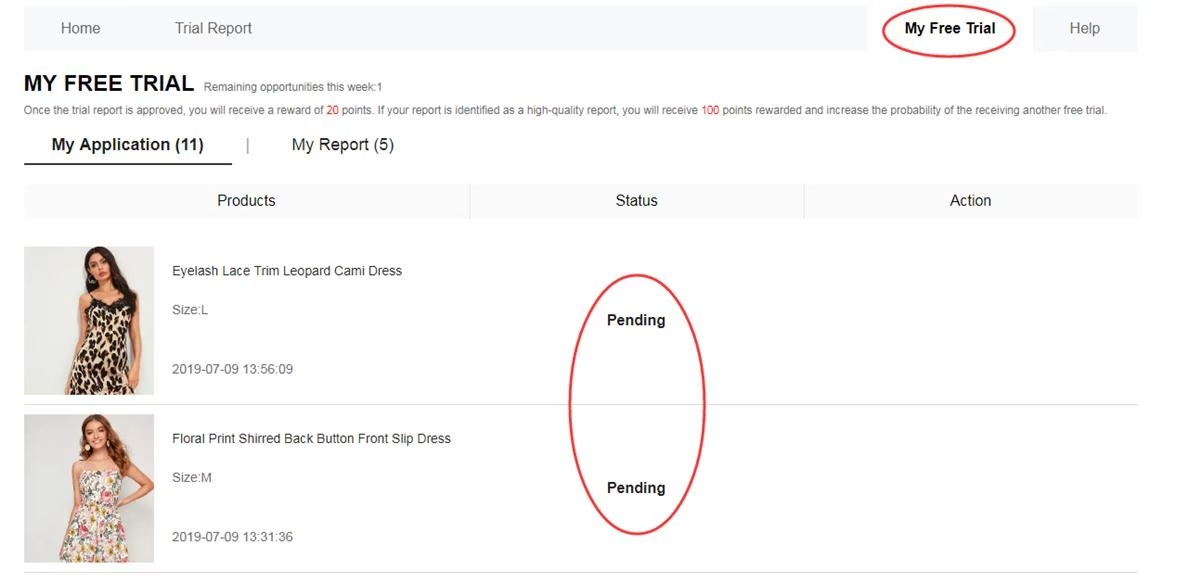
After you submit, the platform reviews applicants. The result often appears in about one week under My Free Trial or My Applications.
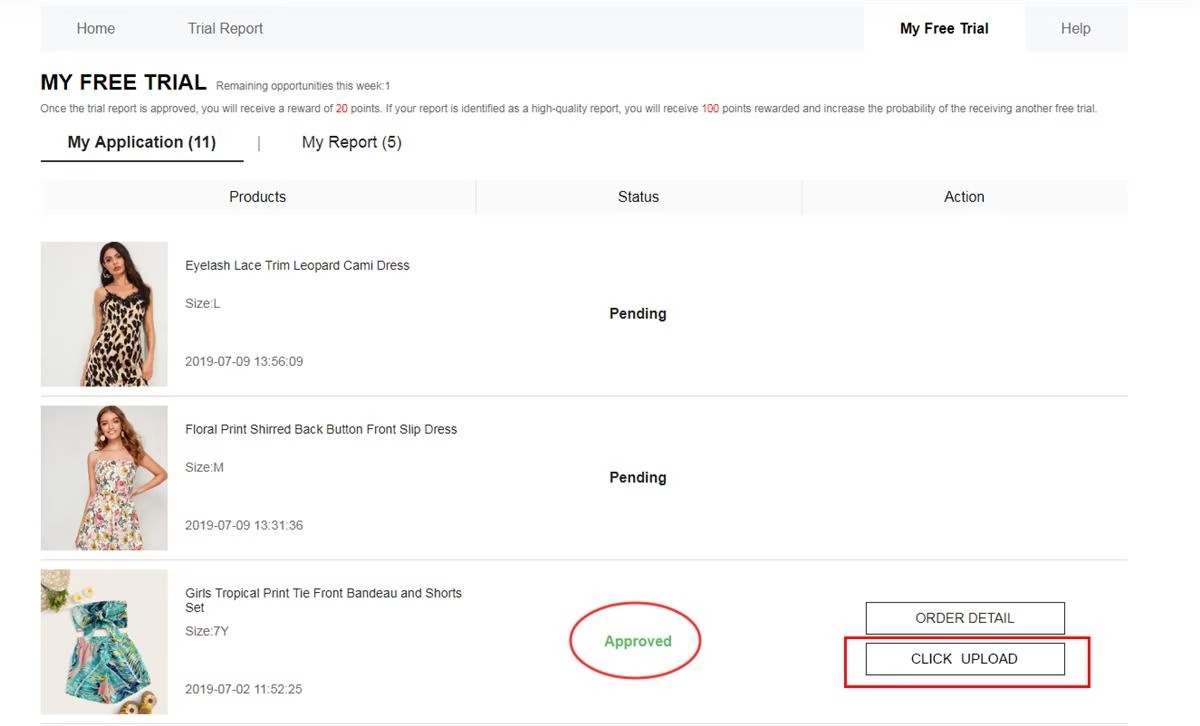
- Approved — the request was selected. A $0 order may be created automatically for shipping.
- Failed / Not approved — that opportunity was not assigned to this account. Later campaigns can still be tried.
Try the product and complete the review
If selected and the item arrives, use it normally first. Note size, comfort, material, finish, stitching, look, and everyday use.
Then open the report panel and send an honest, detailed review. The usual window is about 10 days after delivery. Track the report in My Report.
Confirm points after the review is accepted
Open My Report to confirm the submission was accepted. An approved review typically adds about 20 shopping points. If the team marks it as a Quality Review, around 100 extra points may be added under the program rules shown in the app.
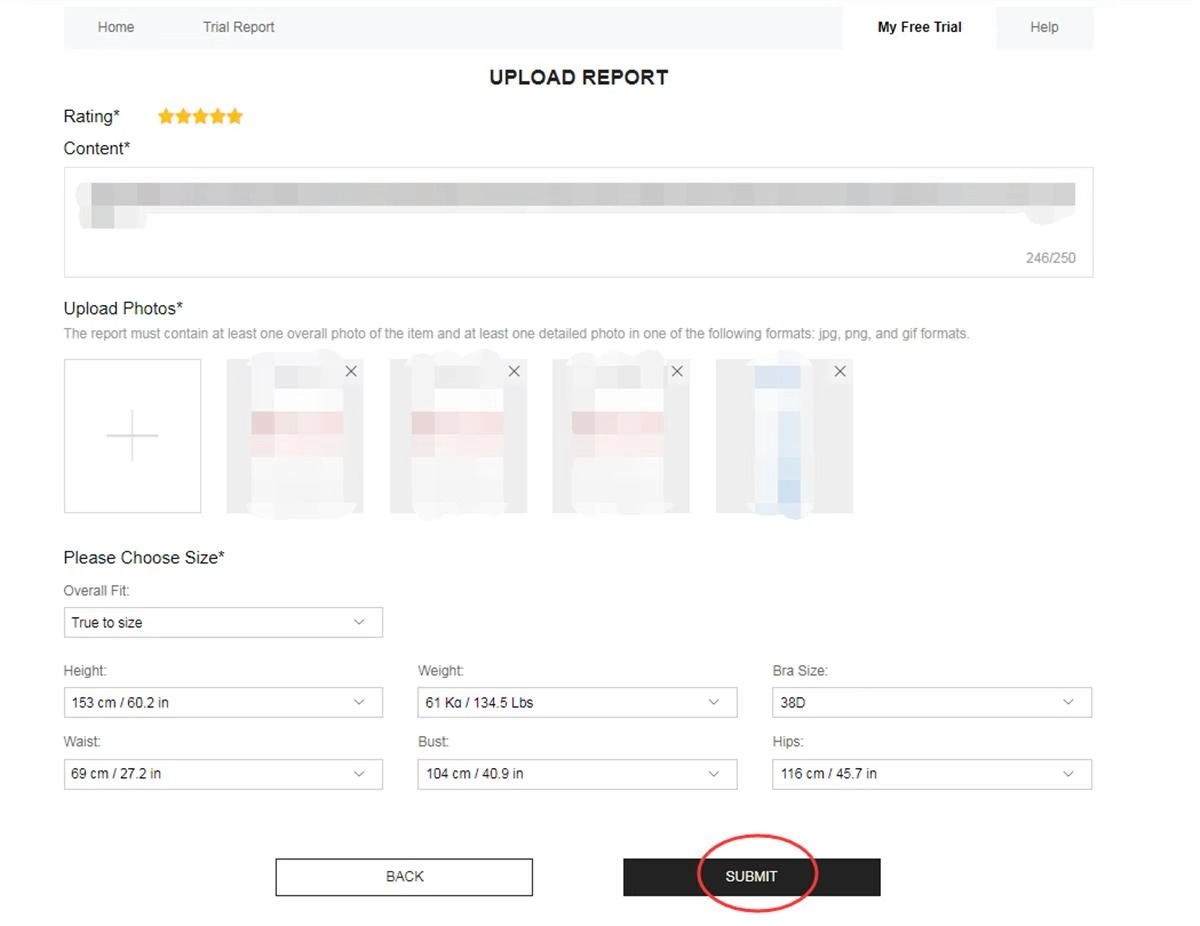
Edit the review if it is rejected
If the post is marked Rejected, look for Resubmit inside My Report. Expand the text, replace dark or unclear photos with well-lit originals, and send it again promptly. Leaving a rejected report unfinished can reduce later chances.
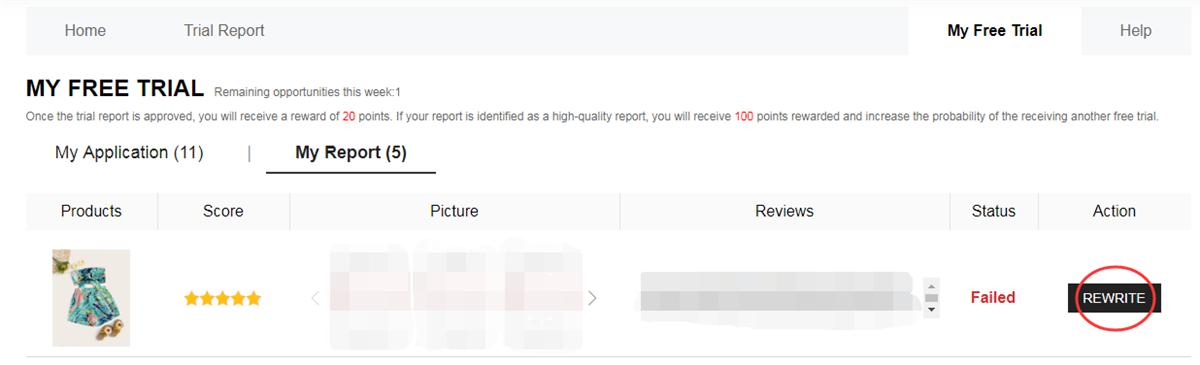
What a stronger review usually includes
- A balanced view — positives and what could be improved
- Your own well-lit photos from more than one angle
- Specific notes on fit, fabric, comfort, finish, and daily use
Details to confirm before participating
- Up to 3 applications per week; unused slots usually expire
- Address country must match the store being accessed
- Standard shipping may be covered; taxes or customs can vary by location
- Aim to finish the report within about 10 days of delivery
- Duplicate, false, or irregular accounts can lose access
- Pending reviews can affect later applications
Mistakes that often block progress
❌ Incomplete account details or the wrong size
❌ An address that does not match the store country
❌ Waiting until popular listings are almost closed
❌ Vague reports with no useful text or real-product photos
❌ Missing the review deadline
❌ Extra accounts used only to send more applications
Free Trial questions
Is there a shipping fee for selected participants?
Standard shipping is generally covered under Free Trial. Taxes, duties, or customs fees may still apply under local rules.
What is the weekly product limit?
An account can usually send up to 3 applications each week. Unused attempts typically expire instead of accumulating.
Does the participant need to return the product?
In the standard format, selected participants generally keep the item after receiving it and submitting the requested review. Always check that campaign’s terms.
How long until the result appears?
About one week. Check My Free Trial for the updated status of each application.
Can a rejected review be sent again?
The platform may offer one extra attempt so the report can be corrected and resubmitted to the stated criteria.
Do I need to be an influencer?
No. Following the rules, keeping the account in good order, and writing useful reviews usually matter more than follower count.
In short: open Free Trial Center → review available items → apply within the weekly cap → track the result → if selected, try the product → publish the review on time → fix it if rejected.
Want to visit the official Free Trial section?
See which items are live and read the current participation conditions before you apply. Selection is never guaranteed.
GO TO FREE TRIAL CENTERThis button opens SHEIN’s official Free Trial Center.
Reference: SHEIN Free Trial Help Center
Anúncios